Shtukbase is a workspace on your Mac: pages, tables, charts, boards and a graph of how it all connects. Every page is a plain file in a folder you choose. AI agents read and edit those files with you, and automations move the work along.
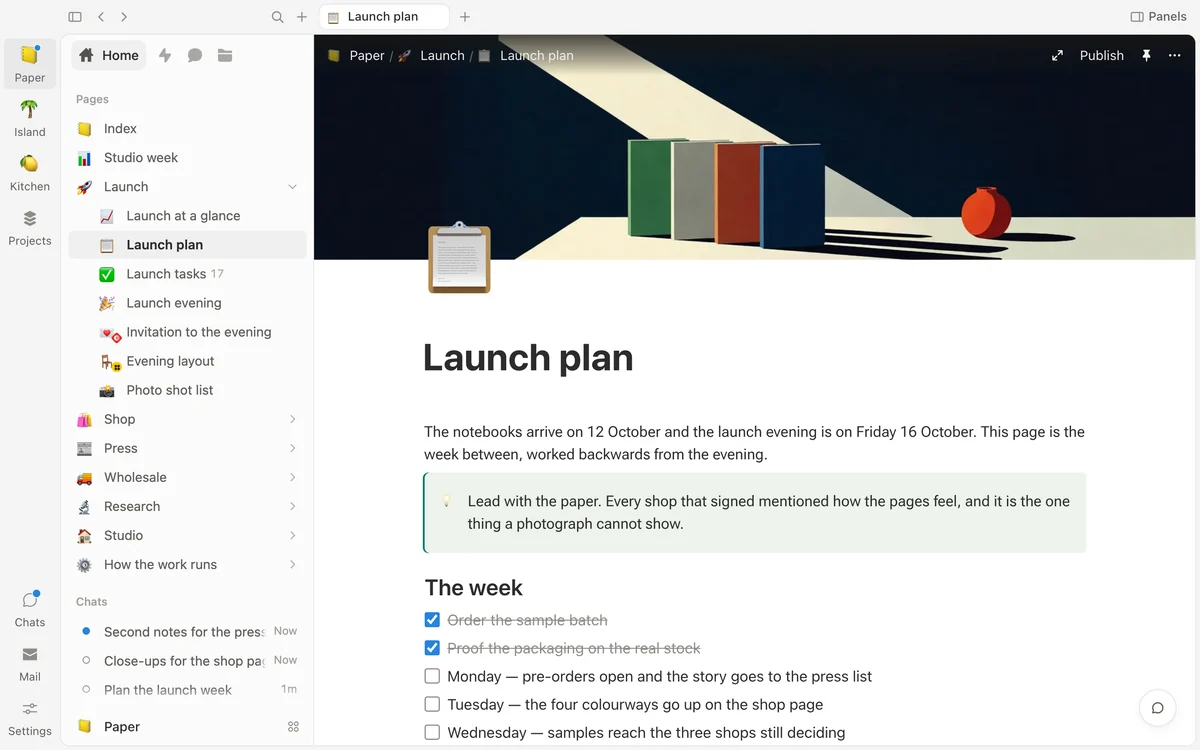
Write in blocks. Headings, checklists, callouts, pictures, covers and links between pages.
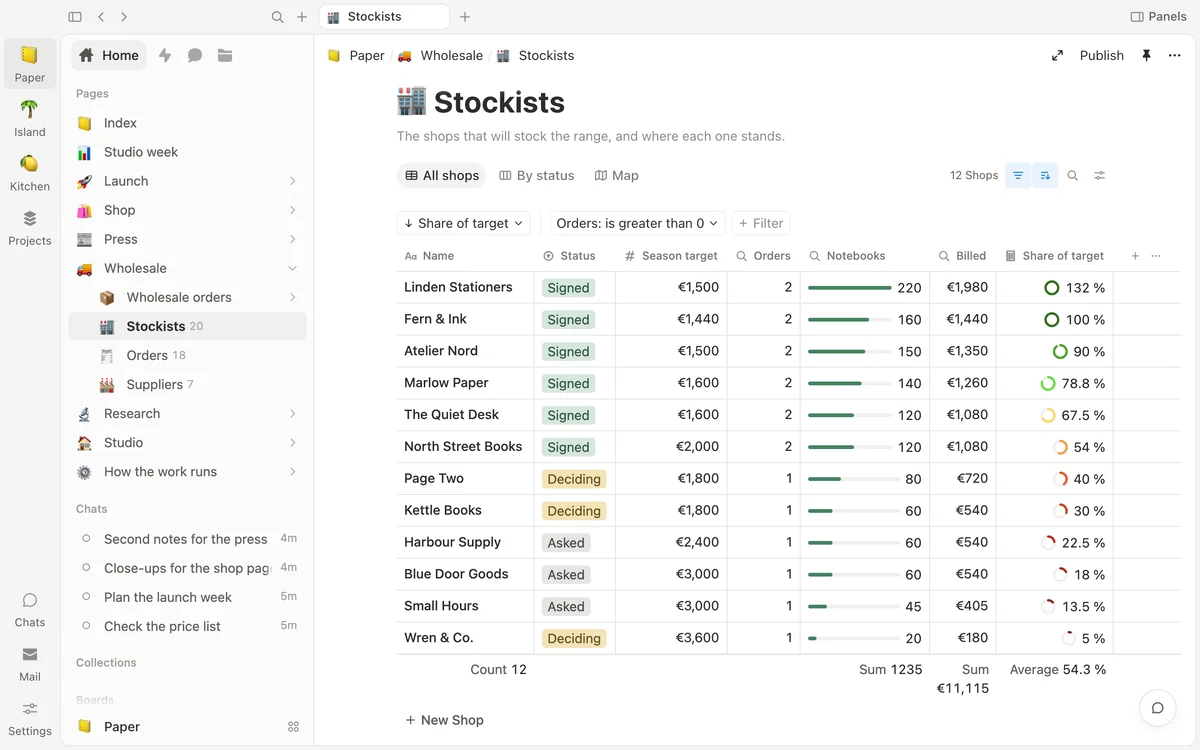
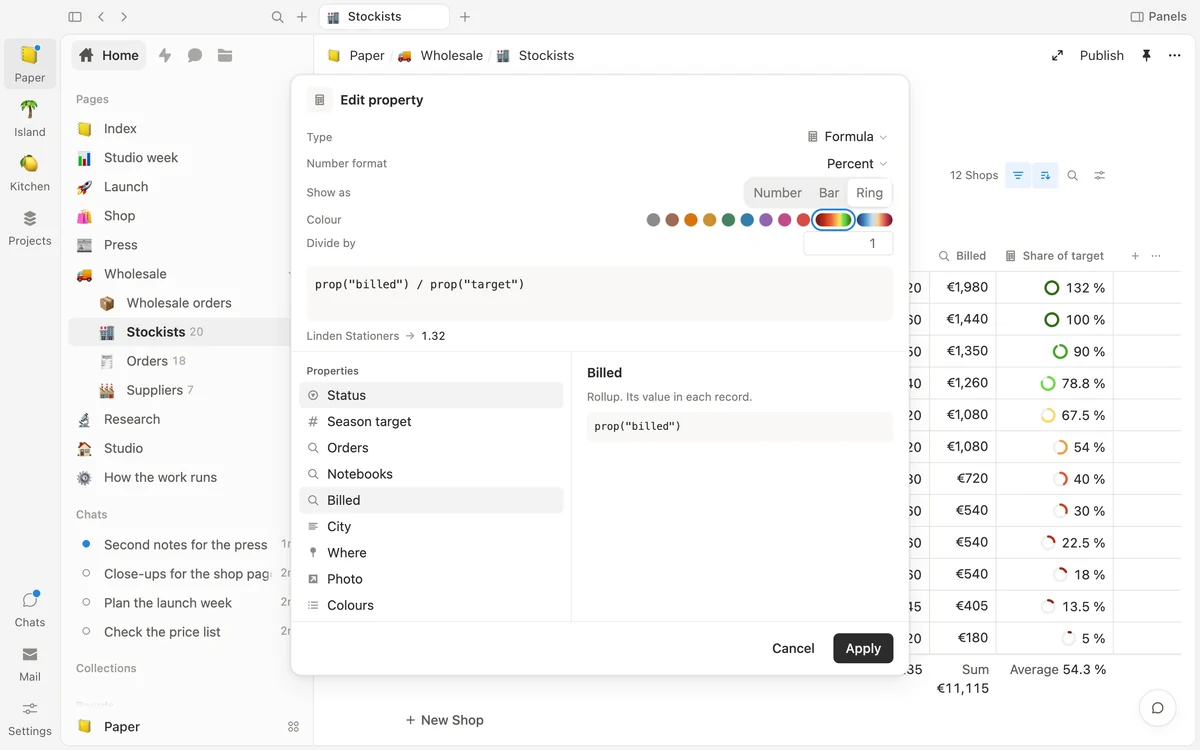
Tables that work things out. Formulas, lookups and rollups, drawn as bars and rings, with a footer that adds it up.
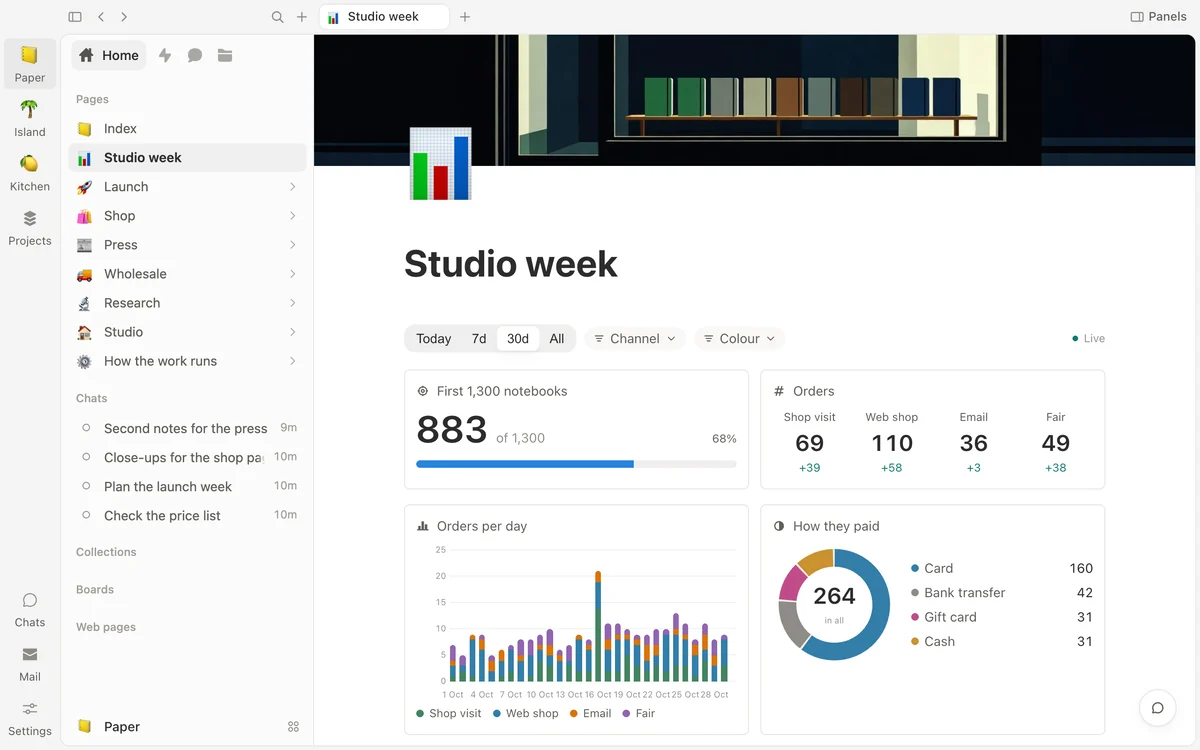
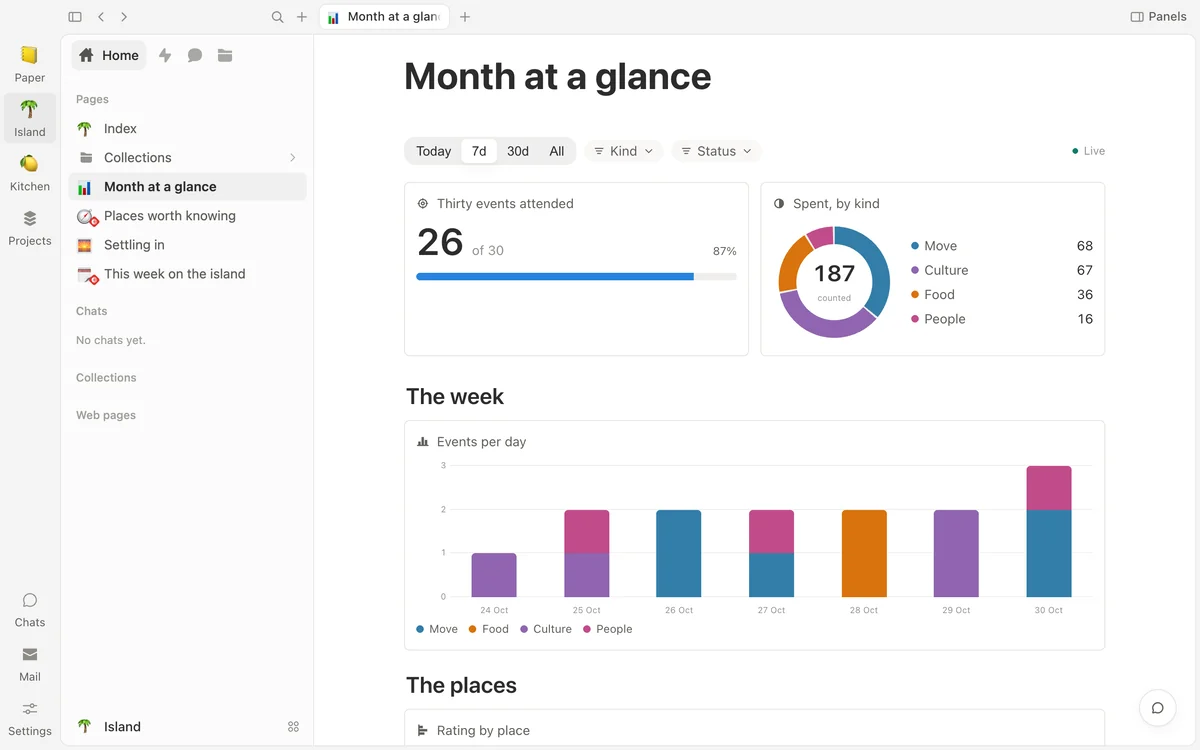
Live charts over your lists. A row of controls narrows every chart on the page, and the numbers follow your files.
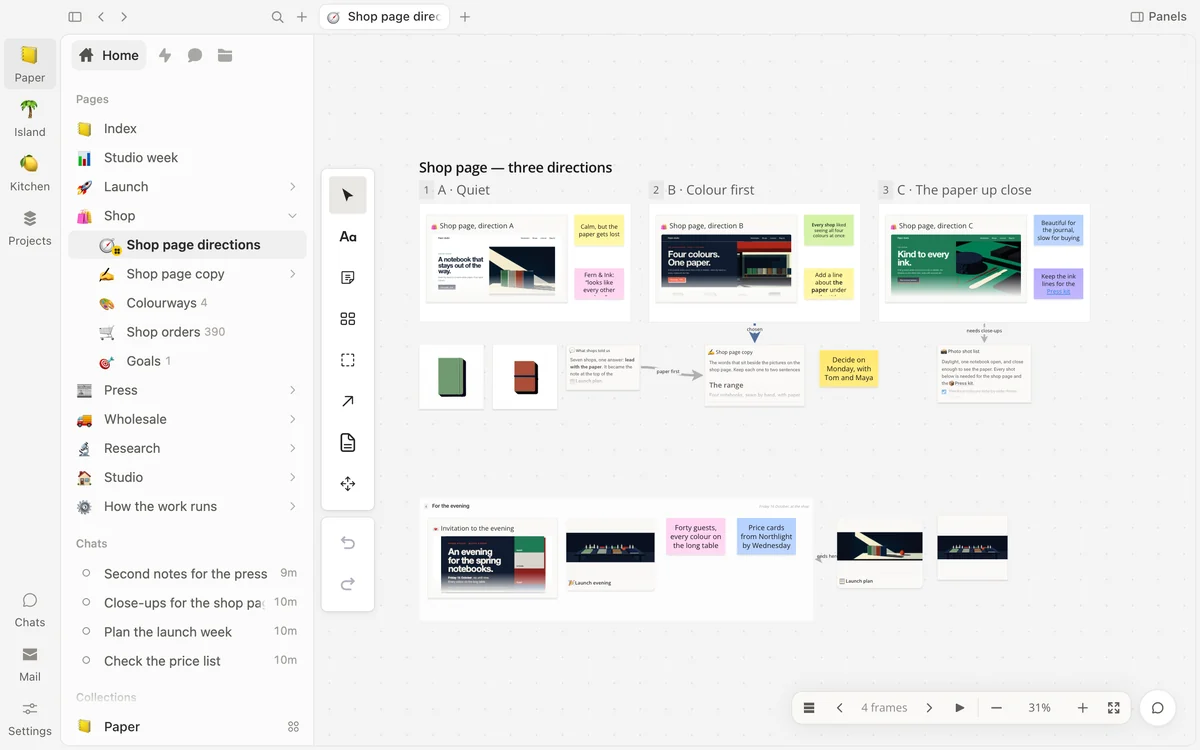
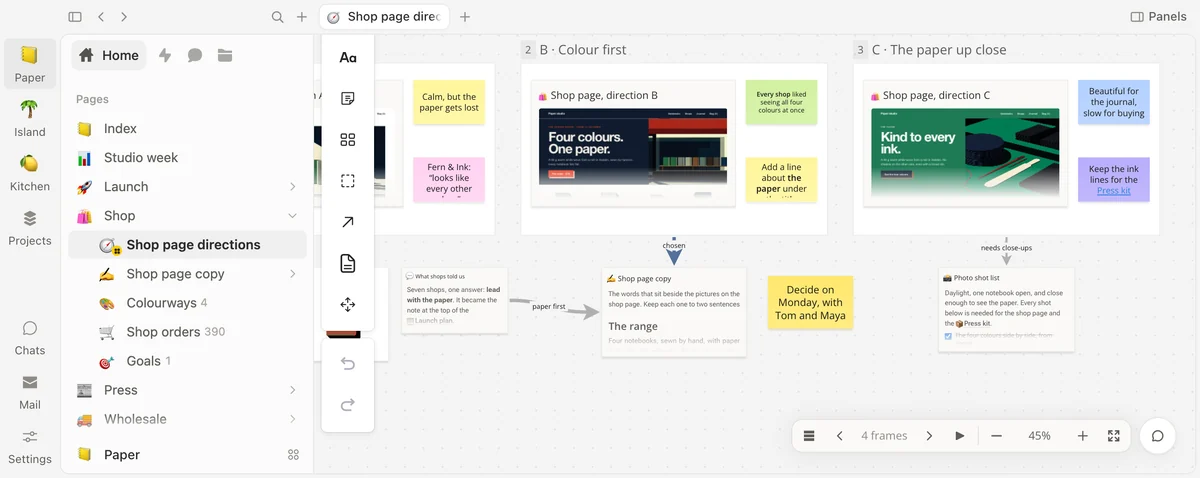
Think on a free canvas. Notes, frames, arrows and your pages as cards — and web pages that draw live.
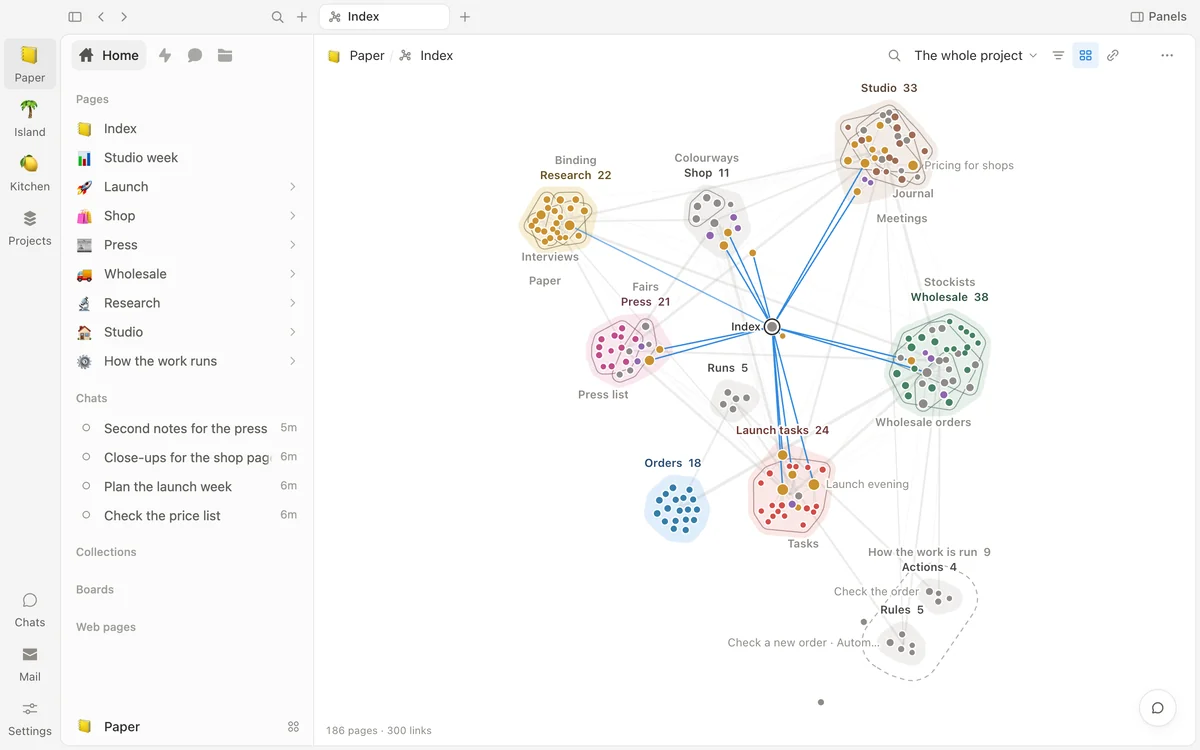
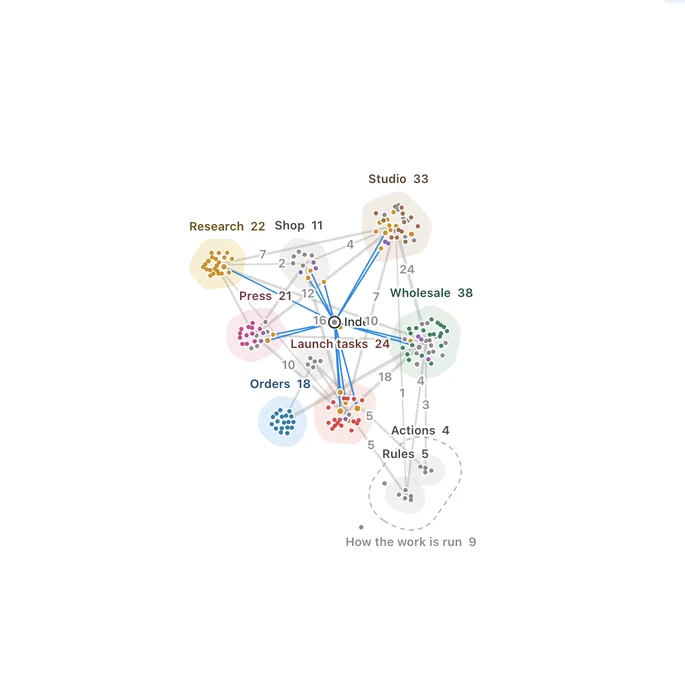
See how it all connects. Every page and link in the project, gathered into named zones.
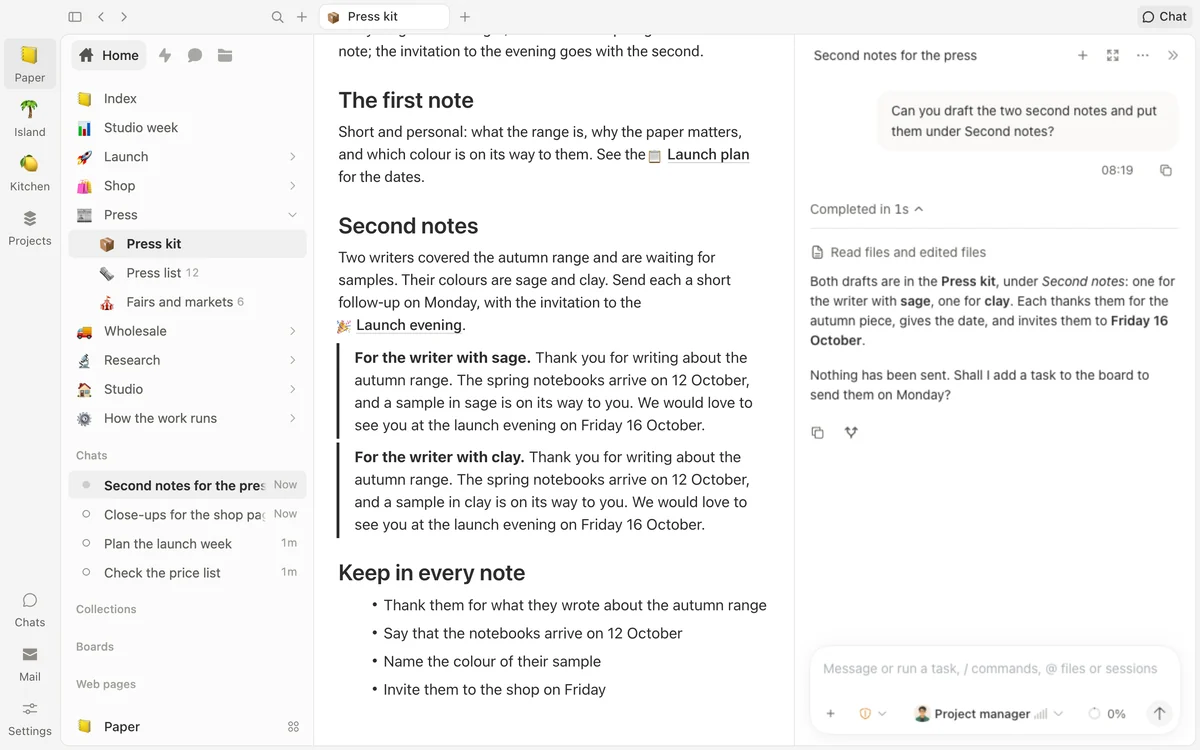
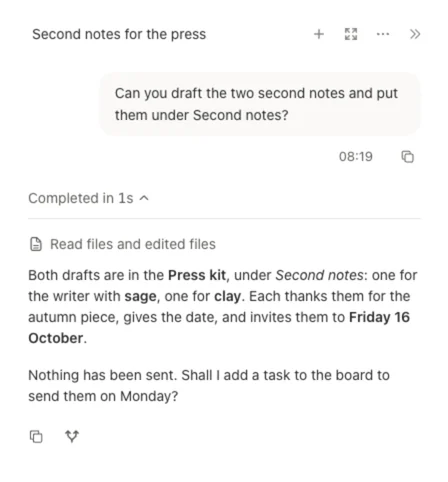
Hand off the work. Ask for the drafts, and an agent writes them into your page.
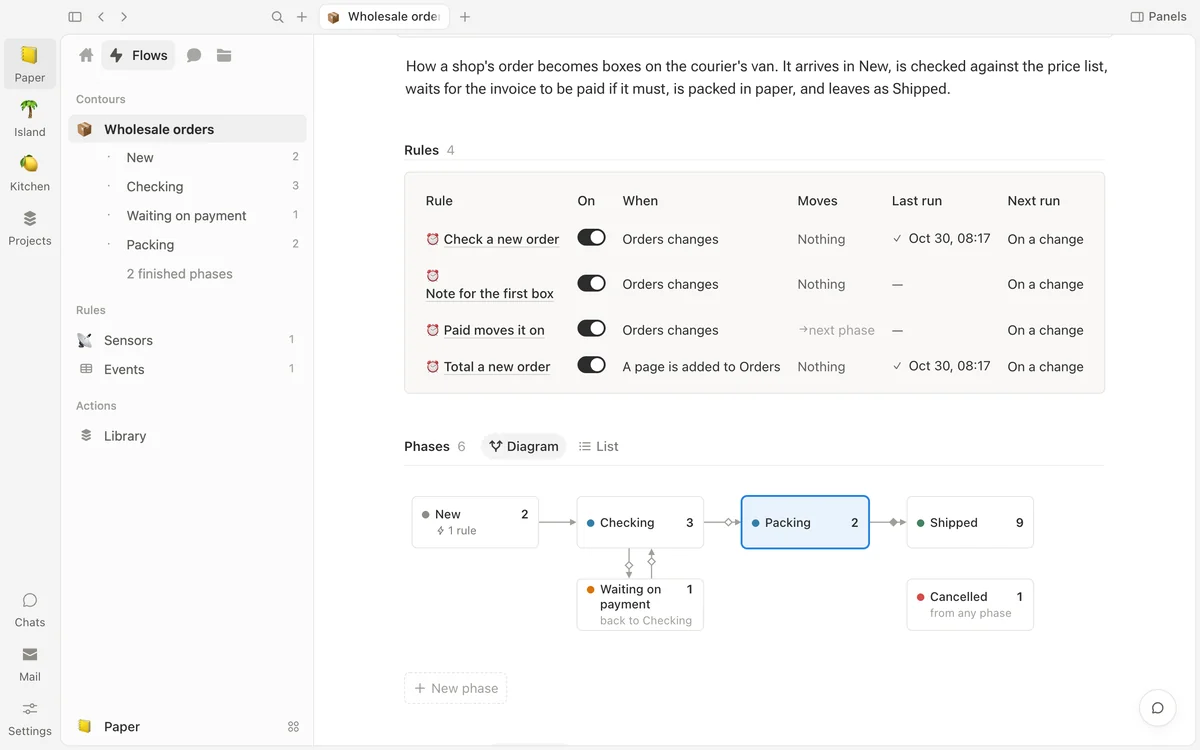
Let the work move itself. Rules that move your work along a path drawn for you, with every step counted.
Tables
Numbers that work themselves out.
A column can be worked out from other columns, show a value from a linked page, or total up the pages that link to this one. Draw a number as itself, a bar or a ring, and let its colour move with the value. A footer answers for the whole table, and nothing extra is stored.
Formulas you can read. Sums, text, dates and conditions, with a preview of one row as you type.
Lookups and rollups. Bring in a shop’s city, or total up all of its orders.
Bars, rings and a footer. See who is behind at a glance, and count, sum or average under any column.
Charts
Live charts over your own lists.
Put charts and numbers on a page, drawn from the lists you already keep. A row at the top narrows every chart on the page to today, a week, a month or one choice. Change a page, and the numbers follow within seconds.
Nine ways to draw. Columns, bars, a line, a donut, a number, a funnel, a timeline, a calendar and a goal.
One row of controls. Pick 7d or 30d, or one channel, and every chart narrows with it.
Press a bar, see the records. The pages behind each number are one press away.
Boards
A canvas for thinking out loud.
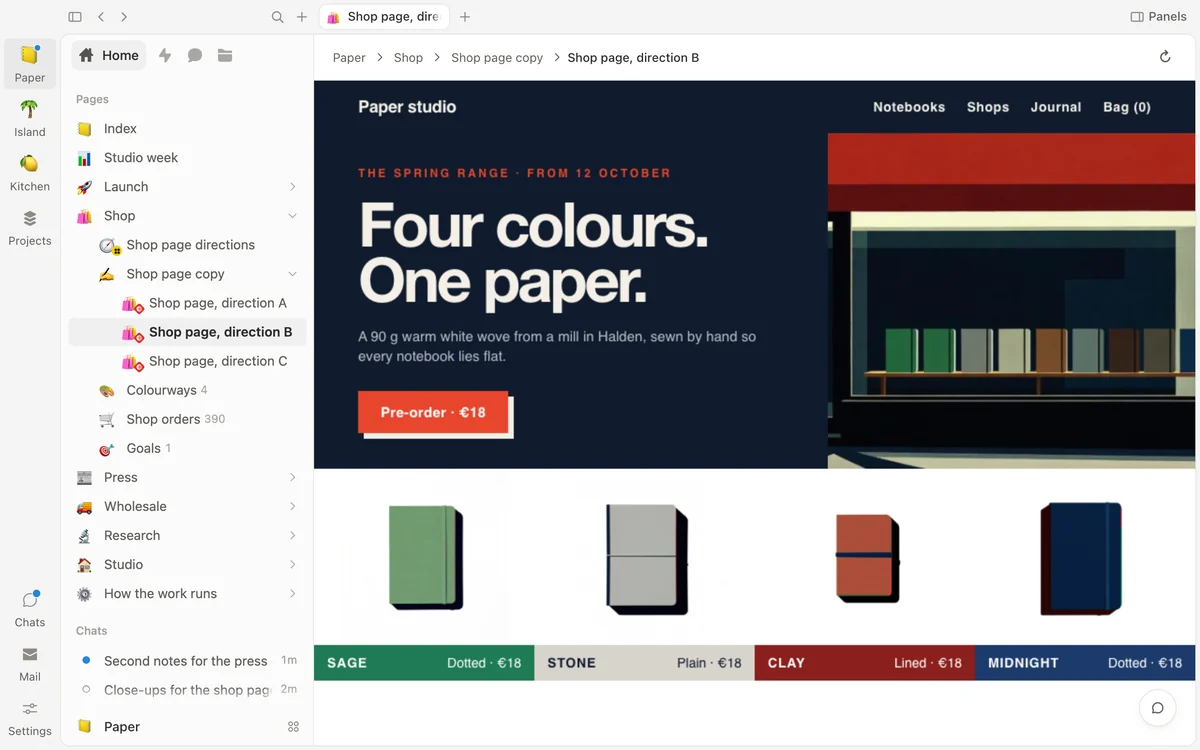
A board is open paper. Put down notes, shapes and arrows with words on them, gather them in frames, and bring in your real pages as cards. A web page you keep in the project draws live on its card, so a design sits right beside what people said about it.
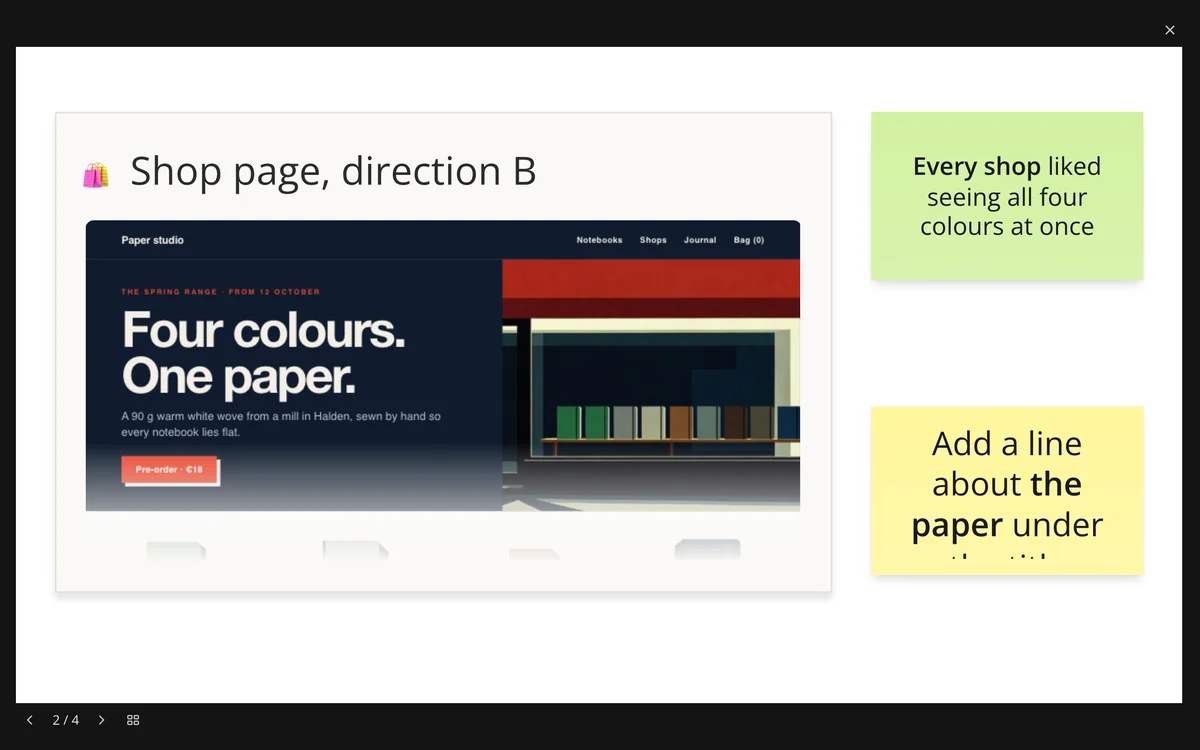
Frames that play like slides. Wide, page-sized, phone or desktop, numbered in order. Press Present to show them one by one.
Pages stay live. A card shows the fields you choose, as the page is now, and opens it beside the board.
One plain file. The whole board is a single file in your folder, one line for each thing on it.
Press Present. The frames play one by one, each filling the window, for a talk or a quiet read-through.
Graph
See how everything connects.
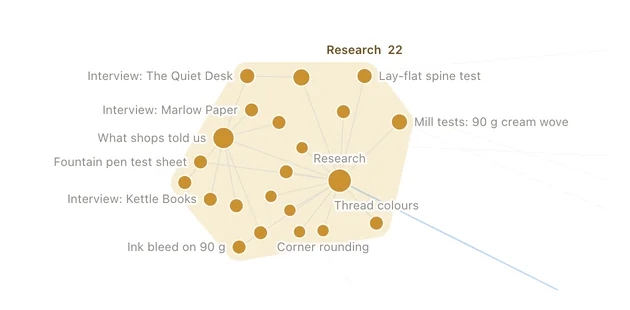
The graph draws every page in a project and every link between them. Pages gather into named zones, one for each folder, and the pages that run your work stand together on one side. Like a map, it says more the closer you come.
From afar, the zones. How many pages each holds, and how many links tie it to the rest.
Up close, every page. Names appear as you zoom in; press one to open it.
Find anything. Type a few letters, and every match lights up.
From afar: the zones, and the links between them
Up close: every page, by name
Agents
Agents who work in your files.
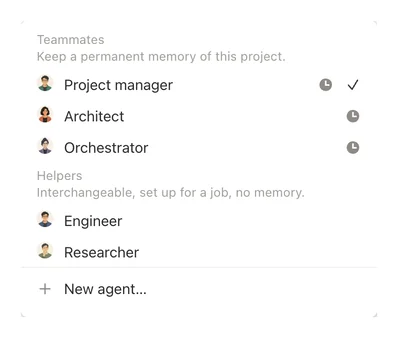
Five agents come with the app, each with a face and a way of working. Ask one to draft, research, plan or tidy up, and the work lands in your pages — not in a chat you have to copy from. Make your own agent, too.
They remember your project. Three of them keep every conversation in it, day by day, and you can read what they remember.
They do the work, as far as you allow. An agent reads and edits your pages, searches the web, makes documents, and shows each step. Reads only, Accept edits or Full access: you choose.
Your choice of model. Run one on your Mac with no key and no internet once it is downloaded, or use a hosted model with your own account.
Flows
Work that moves itself along.
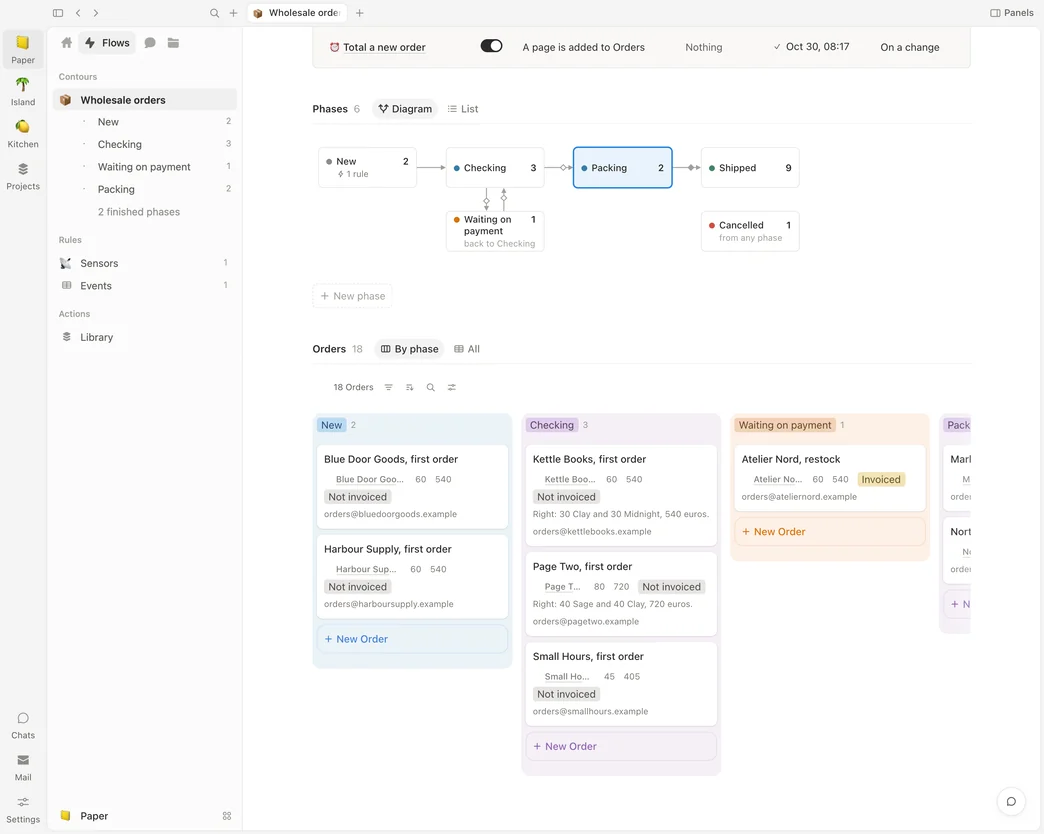
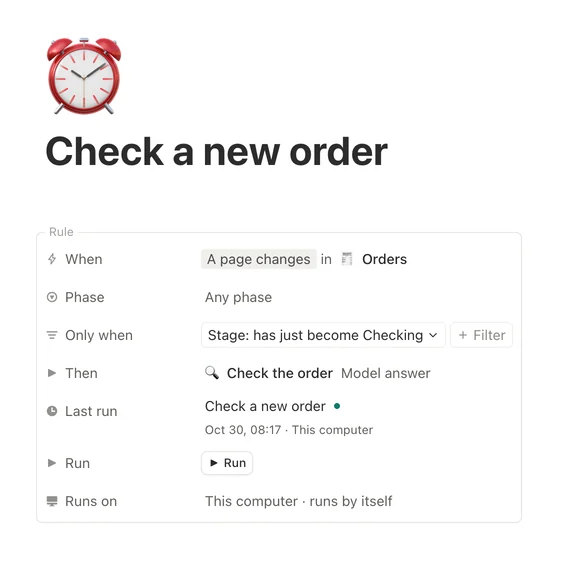
Every project has a path its work takes: an order arrives, is checked, packed and shipped. A flow draws that path and counts what stands in each step. Rules move the work along — when an order enters Checking, ask a model to check it — and every rule has its own switch.
Rules you can read. When, Only when and Then, with schedules in plain words.
It notices what arrives. A letter in your mailbox, a news item, a file dropped in a folder. Rules a watcher wakes wait for your yes.
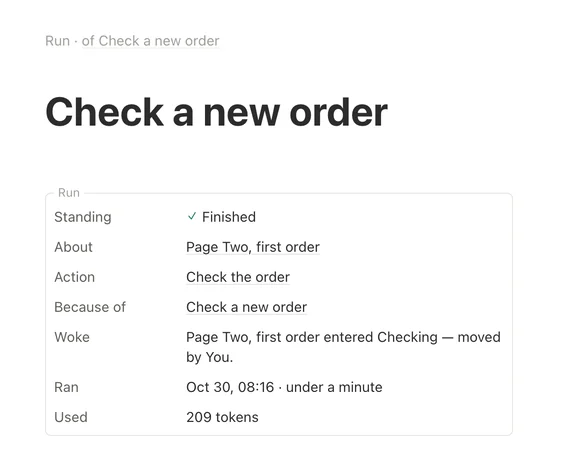
Every run leaves a page. What woke it, what it worked on, how long it took.
A rule. When an order enters Checking, check it against the price list.
Its run. What woke it, what it worked on, when it ran and what it used.
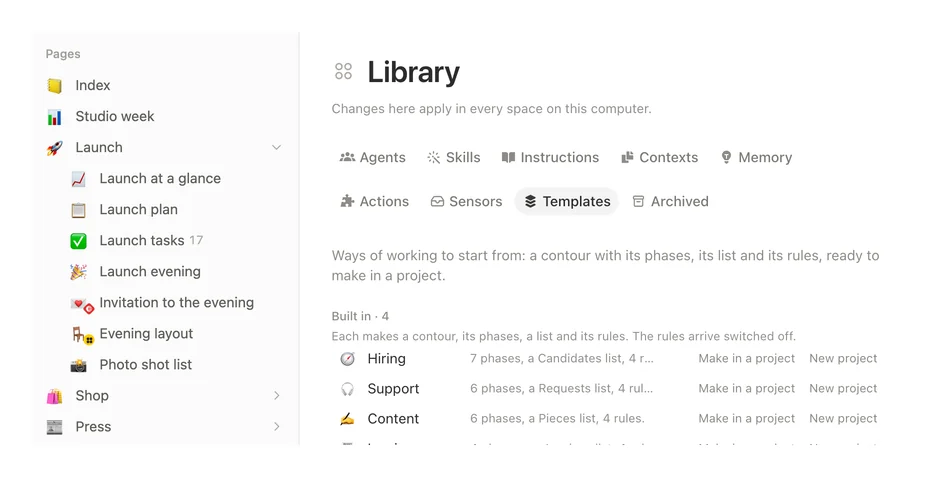
Ready to start. Hiring, support, content and invoices — each arrives as a whole flow, with its rules.
Lists
One list, every view.
Keep a list once and see it the way the work needs: a table, a board, a gallery, a list, a calendar, a timeline, a map or a form. Each view keeps its own filters, sorts and groups, and none of them copies a row. Drag a card on the board, and the table already shows it.
Every row is a page. Open it to write as much as you need, or let a form add one for each answer.
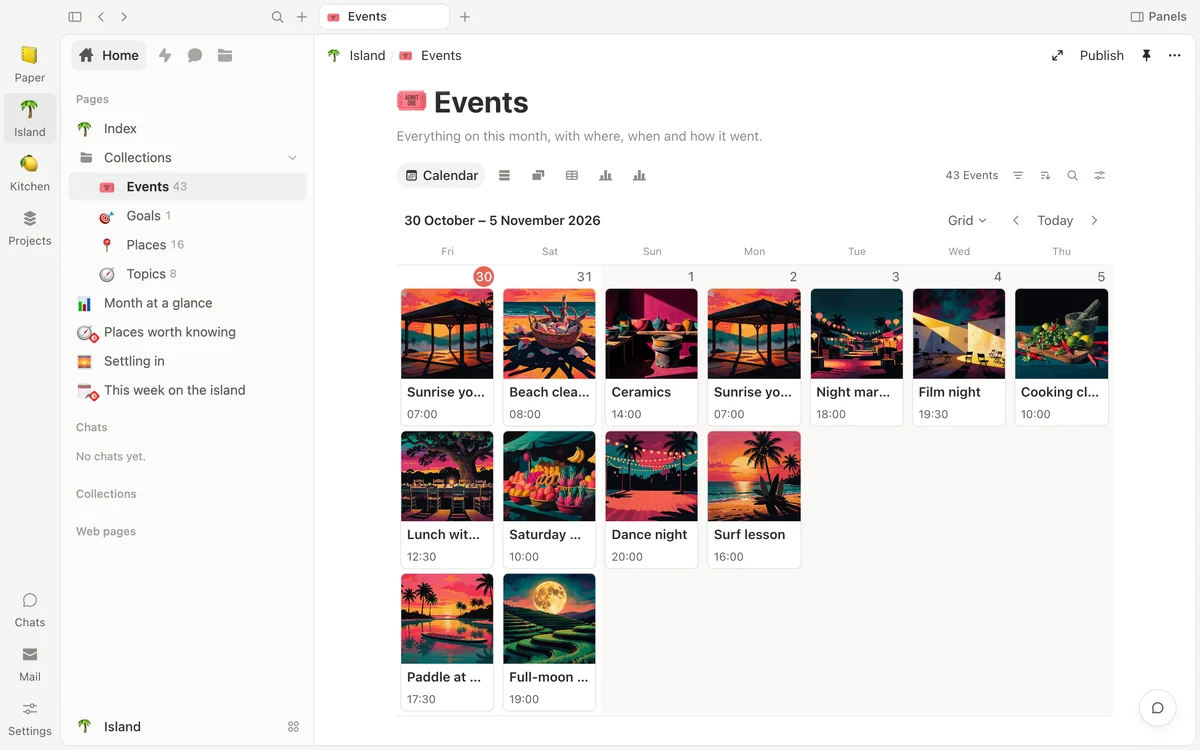
A calendar in five shapes. Days as a grid, a list, day parts, columns or hours.
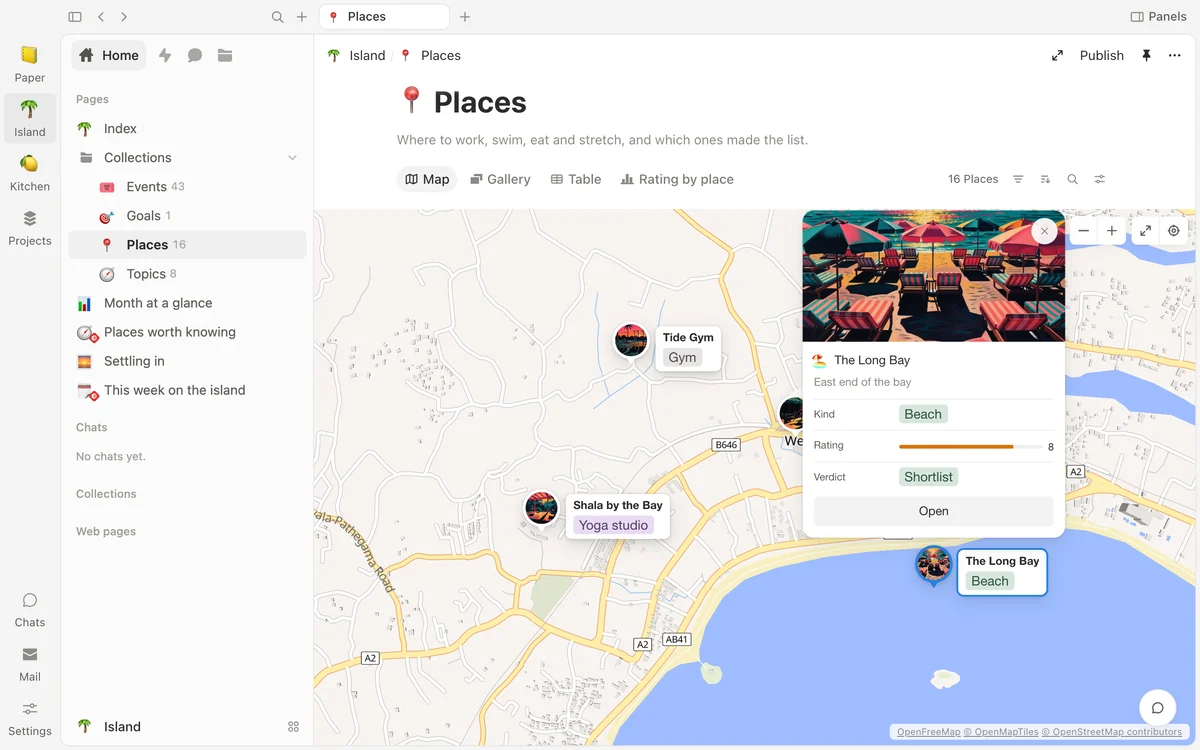
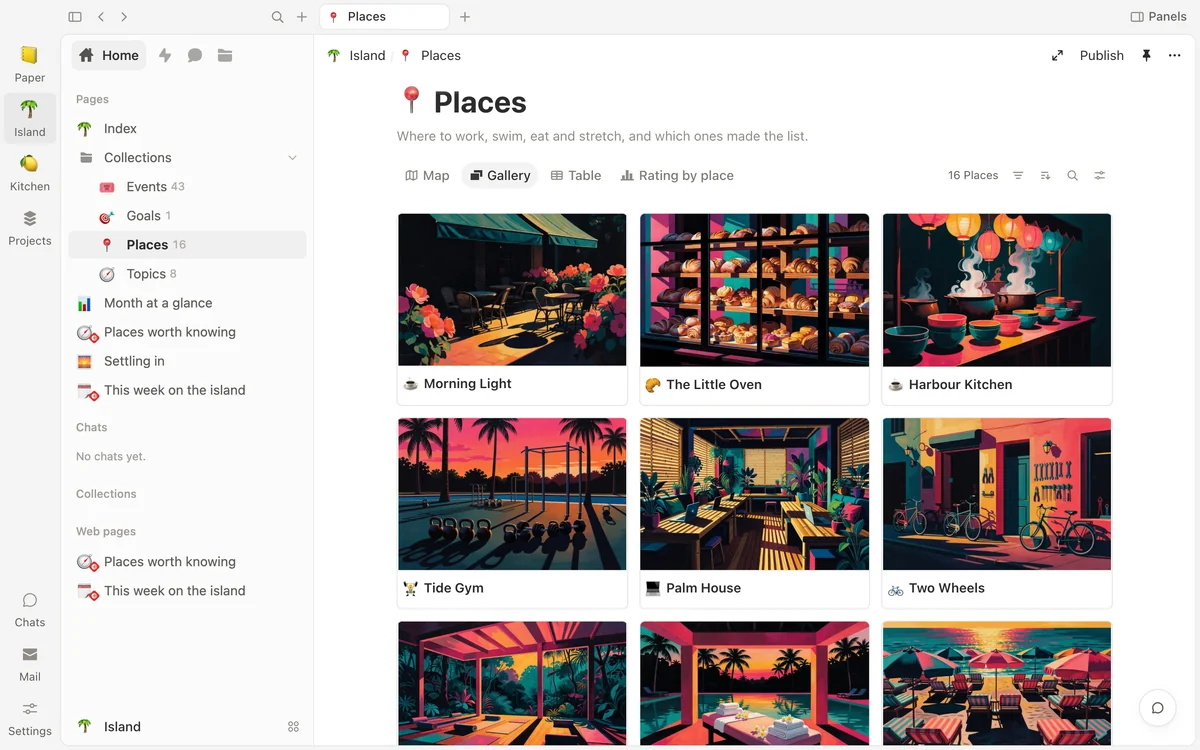
A map of your places. Pins, photos or cards, with nearby places grouped and a route through them.
A calendar with pictures. Every event wears its own picture, and the days can be drawn as a grid, a list, day parts, columns or hours.
A map of your places. Pins, photos or cards; nearby places gather into a count.
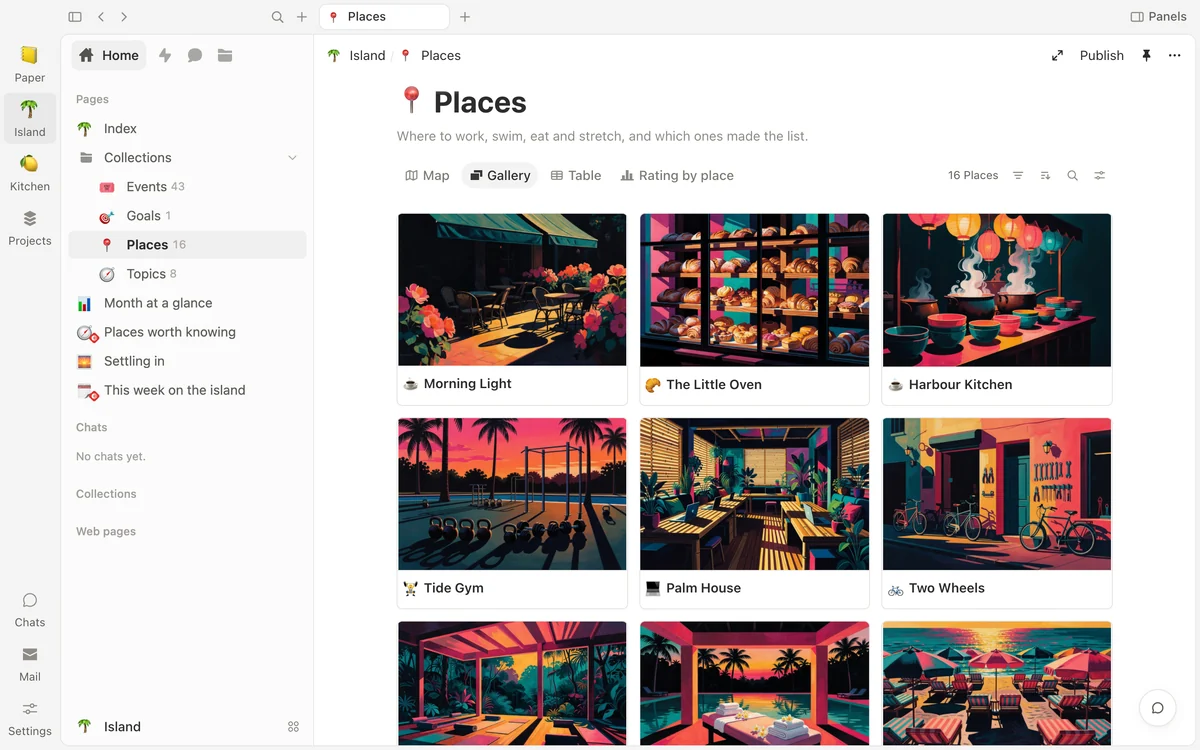
A gallery. The same list, as pictures with names.
Web pages
Designed pages, kept in your project.
Keep an HTML file in a project — a report, a chart, a page you designed — and it opens as a page in Shtukbase. Put one on a board, and it draws live on its card.
It opens where it is. The file keeps its own name and stands in the folder tree beside your other pages.
Kept apart. Its scripts run in a sandbox that cannot reach the rest of your files.
Live on a board. A card shows the page as it is now.
A weekly guide. Event cards with their pictures, set like a poster.
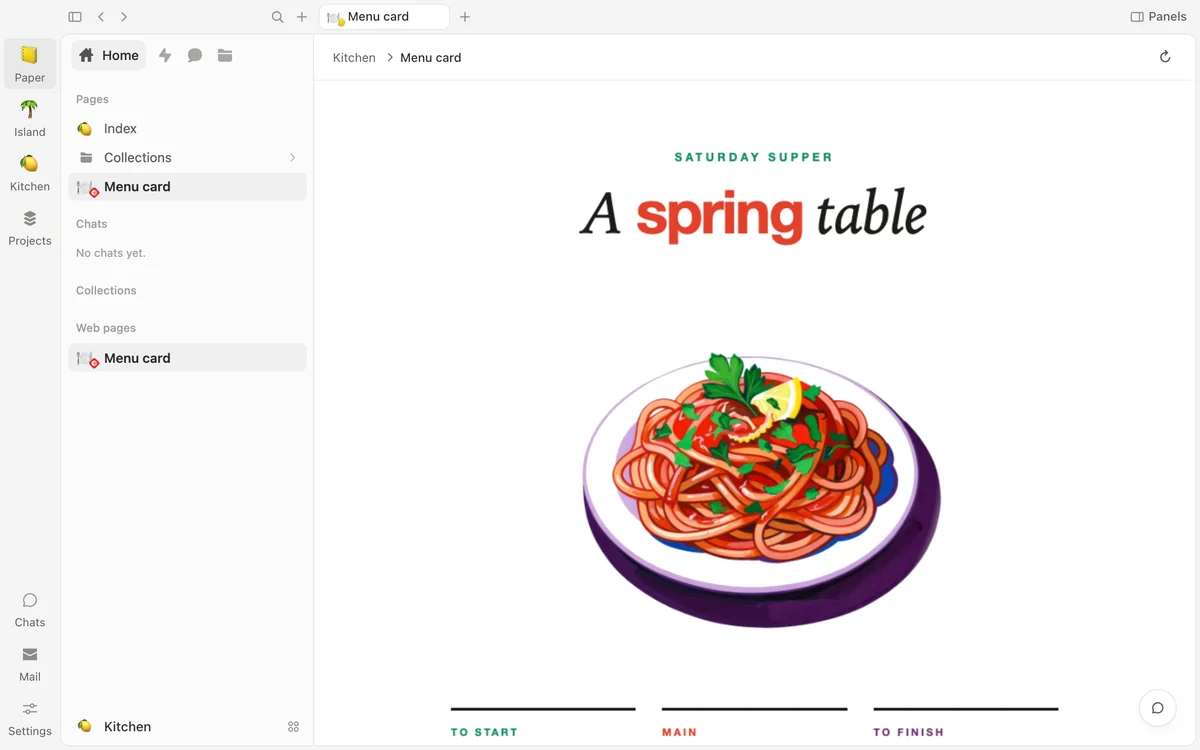
A menu card. A printed page for the table.
Projects
One space, as many projects as you like.
Make a project for each thing you run: a studio, a month somewhere warm, a kitchen. Each keeps its own folders, lists, pages and chats, and they stand side by side in one rail.
Folders that read like a plan. Group pages by what they are for, with an icon on each.
Chats beside the work. Every project keeps its own conversations.
Pin the ones you use most. The rail shows every project in one press.
Your files
Every page is a file you own.
Shtukbase keeps your work as Markdown: plain text in a folder you choose, with a few lines on top for the title, the icon and the properties. A list is one such file with its pages in a folder beside it, and a board is one more. Open them in any text editor, copy them, back them up — they never need us to be read.
A history of every change. Put any earlier version of a page back, and nothing is lost.
Copied, if you like. Keep a second copy in your own git repository, or in a folder you choose, and it stays up to date.
Works offline. Writing, search, history and dictation need no internet.
launch-plan.md
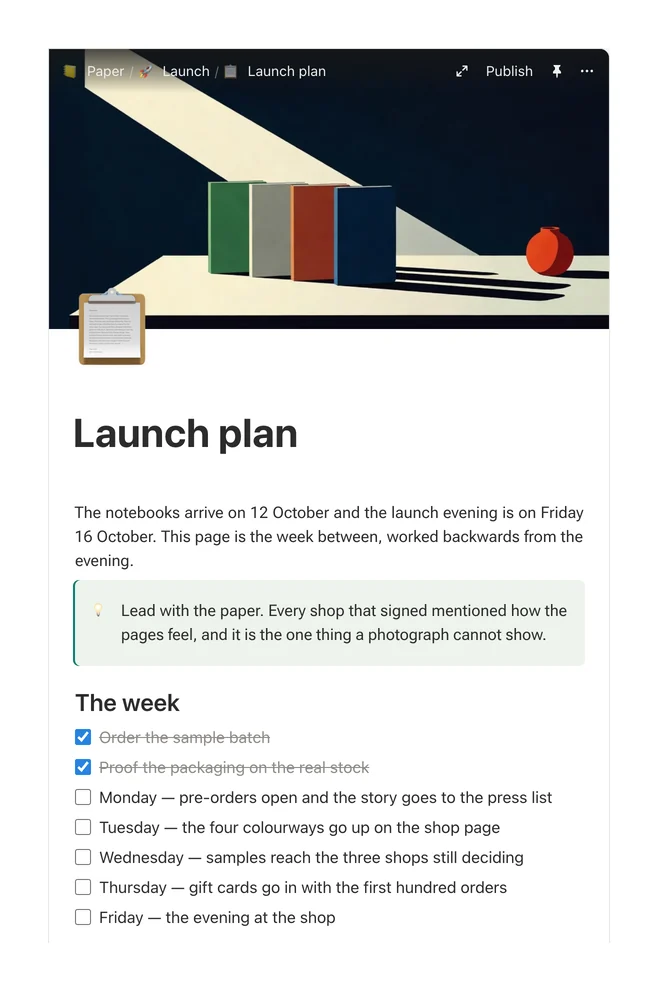
---type: Pagetitle: Launch planicon: 📋cover: /assets/cover-launch.jpg---The notebooks arrive on 12 October and the launch evening is on Friday 16 October. This page is the week between, worked backwards from the evening.> [!TIP]> Lead with the paper. Every shop that signed mentioned how the pages feel, and it is the one thing a photograph cannot show.##The week- [x]Order the sample batch- [x]Proof the packaging on the real stock- [ ] Monday — pre-orders open and the story goes to the press list- [ ] Tuesday — the four colourways go up on the shop page- [ ] Wednesday — samples reach the three shops still deciding- [ ] Thursday — gift cards go in with the first hundred orders- [ ] Friday — the evening at the shop##The four coloursSage, stone, clay and midnight. Every colourway, with its paper and where it stands, is in [Colourways](/shop/colourways.md).##Who is doing whatThe tasks live on the [Launch](/launch/tasks.md) board. The notes for the writers are in the [Press kit](/press/press-kit.md), and the words for the shop are in [Shop page copy](/shop/shop-page-copy.md). The Friday itself has its own page: [Launch evening](/launch/launch-evening.md).
The launch plan as the app draws it, and the same page as the plain text file it is kept in: its title, icon and cover on top, then the note, the heading and the checklist as ordinary Markdown.
Other computers
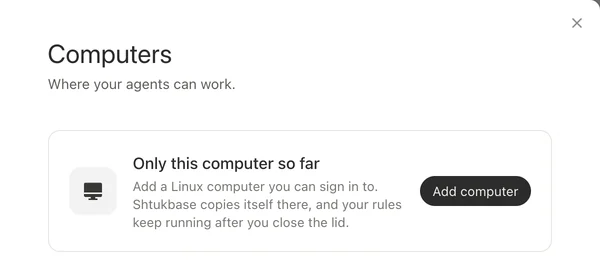
Keep working after you close the lid.
Add a Linux computer you can sign in to, and send it a project. Shtukbase copies itself there, and your rules keep running while your Mac sleeps. When you are back, bring their runs and changes into your folder.
Voice
Talk instead of typing.
Press a shortcut in any app and speak. Words appear while you talk, right where your cursor is. The speech model comes with the app and works on your Mac, with no account and no internet.
⌘⌥Lin any app
Ask Ruth if the bindery can sew two hundred more by Friday
Listening
Features
Everything in Shtukbase.
What comes with the app today, in one list. Nothing here costs extra.
Pages
What it does
Included
Write in blocks: headings, lists, to-dos, callouts, toggles, code and columns
Included
Covers, icons, pictures, videos and PDFs in a page
Included
Keep an HTML file in a project and it opens as a page, in a sandbox that cannot reach your other files
Included
Link pages to each other, and see every page that links back
Included
Search everything by words and by meaning, right on your Mac
Included
Open pages side by side, in a peek, or in tabs
Included
The history of every recorded change, with any earlier version ready to put back
Included
Archive a page to set it aside, or move it to the Trash; either can be undone
Included
Five ready-made projects to start from
Included
Lists and views
What it does
Included
Table, board, gallery and list
Included
Calendar in five shapes: grid, list, day parts, columns and hours
Included
Timeline, and a feed that reads a list newest first
Included
Map: a list's pages as pins, photos or cards, grouped, with a route
Map pictures need the internet
A form that adds a page for every answer
Included
Filters, sorts and groups kept by each view
Included
Tables that work things out
What it does
Included
Formula columns: sums, text, dates and conditions
Included
Lookup a value from a linked page, and roll up the pages that link here
Included
Show a number as itself, a bar or a ring, in one colour or a palette that moves with the value
Included
A footer under the table: count, sum, average, smallest, largest, latest
Included
Filter, sort and group by a worked-out value
Included
Nothing extra is stored: values are worked out when you read them
Included
Charts and dashboards
What it does
Included
Charts of your own lists: columns, bars, line, donut, number, funnel, timeline, calendar and goal
Included
Split a chart by a property, and gather dates by hour, day, week or month
Included
A row of controls narrows every chart on a page
Included
Press a bar to see the records behind it
Included
Numbers follow your files within seconds
Included
Boards
What it does
Included
Your pages as live cards, with the fields you choose, that open beside the board
Included
Sticky notes in sixteen colours with bold, italic and links, text and eight shapes
Included
Arrows with words: straight, elbow or curved
Included
Frames in slide, page, phone and desktop sizes, numbered, and a mode that plays them
Included
Web pages you keep in a project, drawn live on their cards
Included
Graph
What it does
Included
A map of every page and link in a project
Included
A named zone for each folder, with the links between zones counted
Included
Zoom from zones down to single pages
Included
Find a page, filter by kind, and five ways to arrange
Included
The page you are on, lit up in the side panel
Included
Agents
What it does
Included
Five agents with faces, ready to work
Included
Three of them remember a project's conversations, day by day, and you can read what they remember
Included
They read, write and run tasks inside your folder
Included
Three levels of access: Reads only, Accept edits and Full access
Included
Write again while an agent works: it reads you at its next step, or when it finishes
Included
A dot beside each chat: working, waiting for your answer, or answered
Included
Make your own agent and call it by name
Included
Ask in plain words for a list, a board or a rule, and the agent makes it
Best with a capable model
Search the web, read PDFs and spreadsheets, make documents, spreadsheets and slides
Search needs the internet
Models
What it does
Included
A model that runs on your Mac, with no key and no internet once it is downloaded
Needs 16 GB of memory
Your own key with a model company
Needs your account
A subscription you sign in to
Needs your subscription
Any model service by its web address, and a model server on your computer in one press
Included
Keys stay on your Mac and are never shown
Included
Mail
What it does
Included
Every letter in a mailbox you connect becomes a page in your space
Needs a mailbox
Search letters, and let an agent read them like any other page
Included
Reply, reply all or forward from the page; Send waits ten seconds, so you can undo it
Included
Flows
What it does
Included
The path your work takes, drawn for you, with counts in each step
Included
Any list can join a flow, right from the app
Included
Rules with When, Only when and Then, and schedules in plain words
Included
Actions that ask a model, give an agent a task, or run a small program
Included
Watch a mailbox, a news feed, a folder or a chat bot
Rules a watcher wakes wait for your yes
Every run and everything that arrives, kept as a page
Included
One switch pauses every rule of a flow, and the sidebar shows what is running or failed
Included
Four ready templates: hiring, support, content and invoices
Included
Files and sync
What it does
Included
Every page is a plain Markdown file in your folder
Included
Every change recorded in the folder's own history
Included
Keeps a second copy in step: in your own git repository, or in a folder you choose
A repository is optional
Write, search, look back and dictate without the internet
Included
Other computers
What it does
Included
Add a Linux computer you can sign in to
Included
Its rules keep running while your Mac is closed
Included
Bring its runs and changes back into your folder
Included
Voice
What it does
Included
Dictate in any app with a shortcut
Included
Words appear while you speak, where your cursor is
Included
The speech model comes with the app and works offline
Included
Word pairs for names it mishears, and a history of every recording
Included
The app
What it does
Included
No account, no sign-up and nothing to pay
Included
Light and dark appearance
Included
One list of what the app may use on your Mac, and you press Allow only when you want
Included
Macs with Apple's own chips, on macOS 14 or later
Included
Questions.
What is Shtukbase?
A workspace for your Mac. You write pages, keep lists as tables, charts, boards, calendars and maps, think on a free canvas, and see how it all connects on a graph. AI agents work in the same pages with you, and flows move the work along.
Where are my files?
In a folder on your Mac that you choose. Every page is a plain Markdown file you can open in any text editor, and the folder keeps a history of every change. If you like, it also keeps a second copy in step, in your own git repository or in a folder you choose.
Does it need the internet?
No. Writing, search, history, dictation and the model on your Mac all work offline. The internet is needed for hosted models, web search, map pictures, your mailbox, syncing your folder, adding another computer and the one-time download of the model for your Mac.
Which AI models can I use?
A model that runs on your Mac, with no key and no internet once it is downloaded; it needs 16 GB of memory. Or a hosted model: your own key with a model company, a subscription you sign in to, or any model service by its web address. Your keys stay on your Mac.
How far can an agent go?
You choose, for each conversation: Reads only, Accept edits, or Full access. An agent edits pages the way you would, and a page's history lets you put an earlier version back.
Is it free?
Yes. Shtukbase costs nothing to download and use, and there is no account to make. If you use a hosted model, that company bills you for it directly.
Which Macs does it run on?
Macs with Apple's own chips — M1 or newer — on macOS 14 or later. The model on your Mac needs 16 GB of memory; everything else runs on any of these Macs.
Start with one page.
Download Shtukbase, open it and write. Everything you make stays yours.